Dashboard & Command Center
you left off.
Support work is full of interruptions. The Dashboard keeps your favorite, recent, and most-used items, plus active reminders—front and center, ready for anything the queue throws at you.
Stop starting your day
in chaos.
Support work is reactive by nature. But reacting to everything at once leads to burnout. You need a way to cut through the noise before you dive into the queue.
The Context Fog
You get interrupted by a Slack DM, handle it, and then... blank. "What ticket was I working on? Which doc did I just copy?"
The Tab Explosion
To get "ready" for the day, you have to open Gmail, your help desk, Jira, Slack, and your notes app. It's a recipe for distraction.
The Missed Promise
Buried in a sticky note somewhere is a reminder to "email John back on Tuesday." Without a central view, these commitments slip through the cracks.
A personal Heads-Up Display.
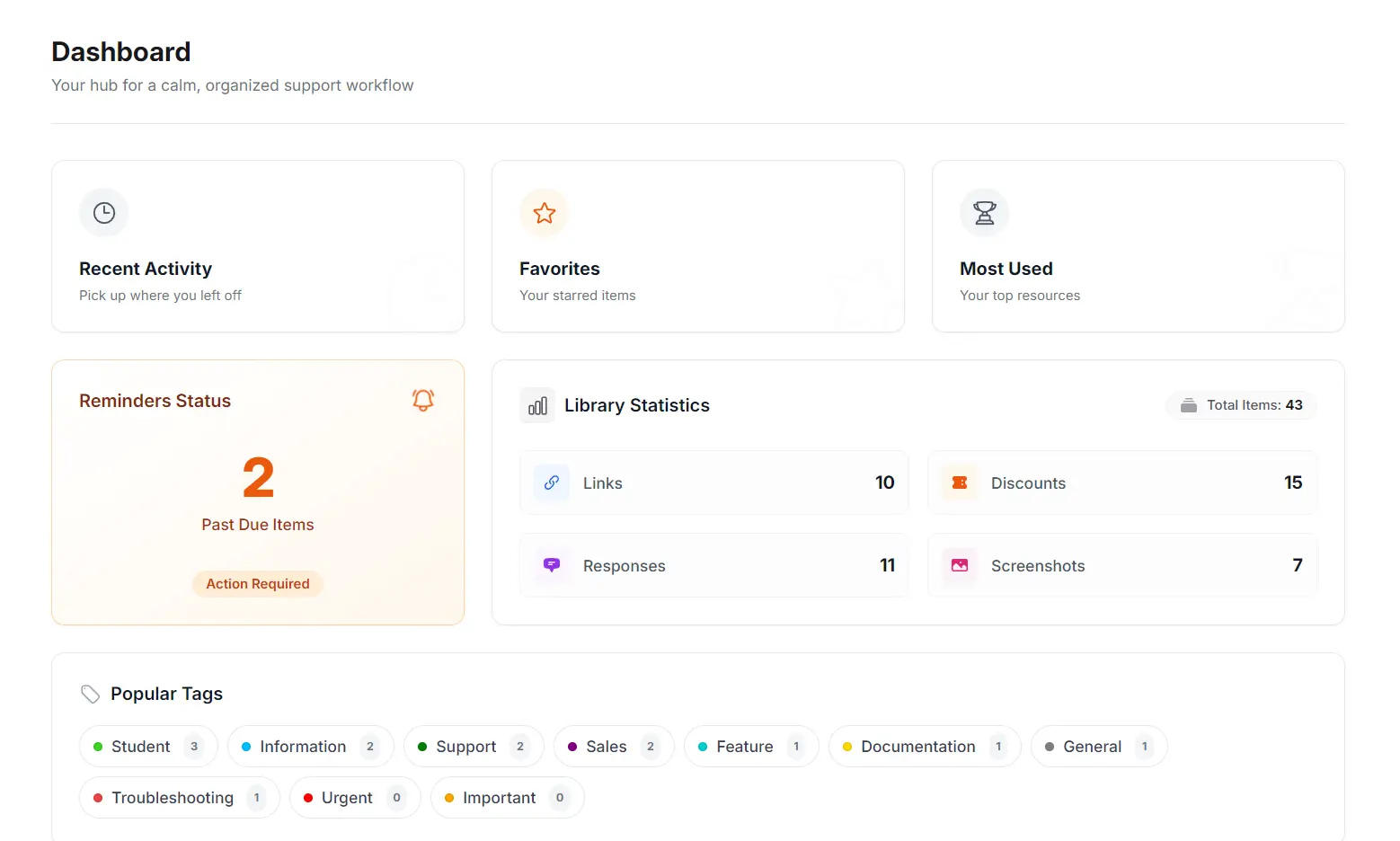
Support Toolbox gathers your status in one place. See exactly what needs attention, which resources you use most, and what you were doing last—all before you open a single ticket.
Everything important, all in one view.
The dashboard is composed of three intelligent widgets designed to orient you instantly.
Quick Resume
Recent Activity & Favorites let you jump straight back into the links or templates you were just using, cutting down "setup time" after a break.
Urgency Radar
The Reminders widget changes color based on urgency. If you have past-due items, it glows orange so you can't ignore them.
Health Check
Library Stats give you a bird's eye view of your resources. Identify which categories you're building out and where you have gaps.
Your morning routine,
simplified.
How to use the Dashboard to start your day with clarity instead of chaos.
Check In
Open the app to check your Reminders Status. See immediately if any follow-ups are past due.
Resume Context
Click Recent Activity to instantly grab the link or template you were using before you logged off yesterday.
Access Favorites
Open your Favorites list to instantly grab the templates, links, and screenshots you starred as essential.
Analyze Gaps
Check your Library Stats and Tag Cloud. Notice you're missing "Billing" templates? Time to add them.
Common Questions
Details about your data and dashboard customization.
Is the "Recent Activity" history stored locally?
Yes. All activity history is stored inside the local database on your computer. We do not upload your usage logs or activity history to the cloud, ensuring your workflow remains private.
Can I customize the dashboard layout?
Not currently. The dashboard uses a fixed layout designed to give you the most important information (urgency, recency, and utility) at a glance. Customization options are planned for future updates.
Does it connect to my Help Desk analytics?
No. The dashboard tracks your usage of the Toolbox (e.g., how often you use a specific template), not your ticket volume or CSAT scores. It is designed for personal workflow optimization, not team management.
How are "Most Used" items calculated?
The app counts every time you copy a discount, link, screenshot, or response template to your clipboard. The list updates automatically to ensure your top tools are always one click away.
More ways to stay organized.
The Dashboard is just the beginning. Support Toolbox includes powerful features designed to keep your workflow smooth and efficient.
Universal Search
Find anything in milliseconds. Search across all your links, templates, screenshots, and codes from one unified search bar.
Response Templates
Write it perfectly once, use it forever. Build a personal library of rich-text answers and troubleshooting guides.
Link Library
Stop digging through browser bookmarks. Organize your essential URLs and paste them as perfectly formatted hyperlinks.
Follow-up Reminders
Never drop a customer promise. Track bug fixes, feature requests, and follow-ups in a dedicated system.
Screenshot Library
Stop re-taking the same images. Build a searchable visual database of annotated screenshots and diagrams.
Custom Lists
A flexible mini-CRM. Create custom lists for beta testers, affiliates, or VIPs with your own columns and data.
Start your day organized.
The calmest way to manage a chaotic support workload.
See what matters, skip the noise, and get to work.