Pricing questions
handled in seconds.
You know the drill. A customer asks for the price with a discount. You open Stripe, find the product, pull out your phone calculator, and hope you don't type a wrong number.
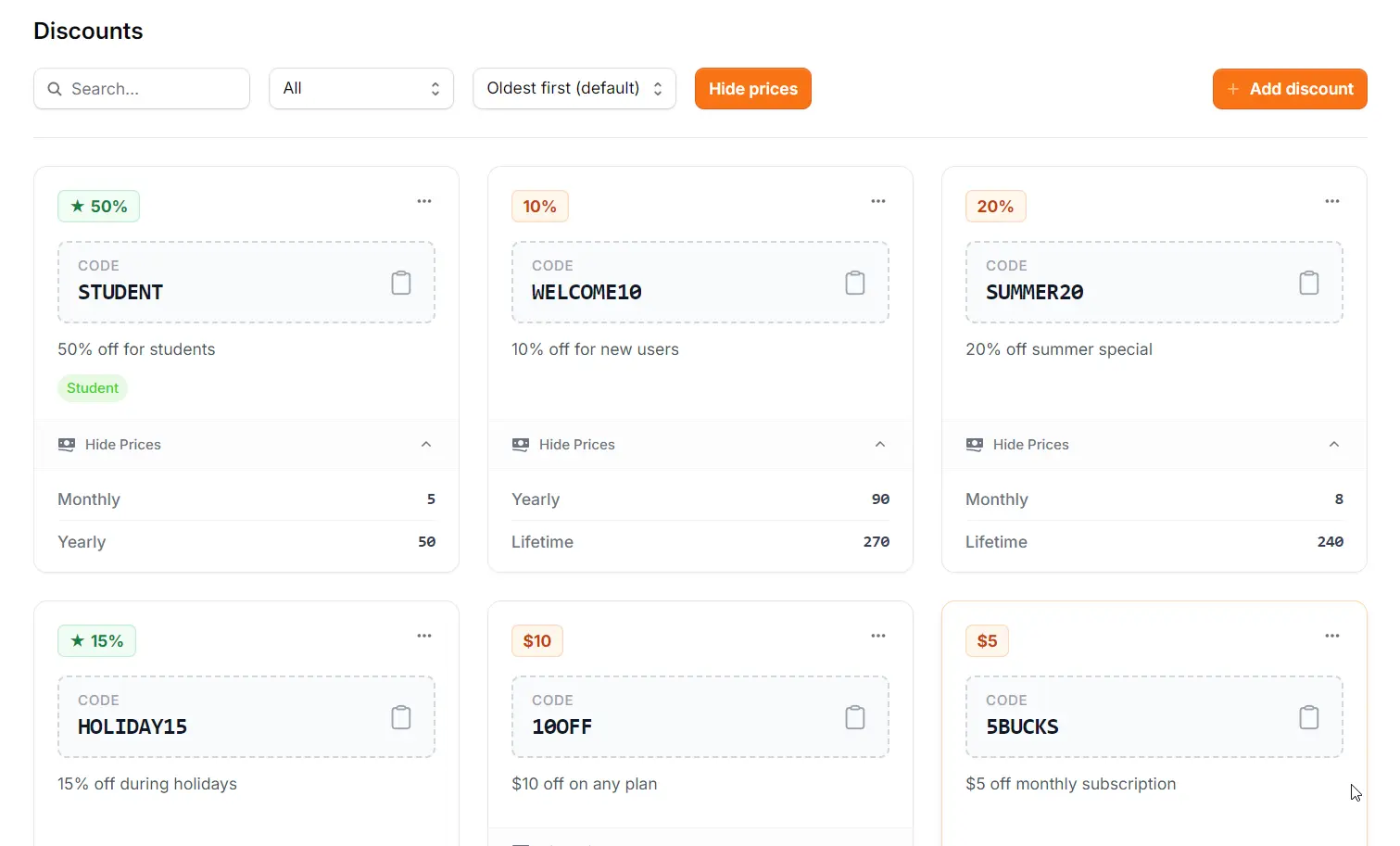
Stop recalculating. Store the final price alongside the code once, and look it up instantly forever. No mental math, no mistakes.
It shouldn't take three tools to answer
one simple question.
When a customer asks "How much is this plan with the discount?", they want a number, not a math problem. But for you, getting that number is a surprisingly complex obstacle course.
The Tab Shuffle
You have to leave the chat, open Stripe or Shopify, wait for it to load, and search for the code just to see what it actually does.
The Calculator Panic
"Okay, 20% off $49..." You pull out your phone or open a calculator app, breaking your flow to do basic arithmetic while the customer waits.
The Error Anxiety
Did you calculate that right? There's always that split-second of dread before you hit send, hoping you didn't just quote the wrong price.
There's a better way.
Support Toolbox lets you define the final price once. The next time someone asks, you just search the code and see the final dollar amount instantly. No tabs, no math, no stress.
Smart enough to do the math.
Support Toolbox bridges the gap between your discount codes and your actual product prices.
Flexible Logic
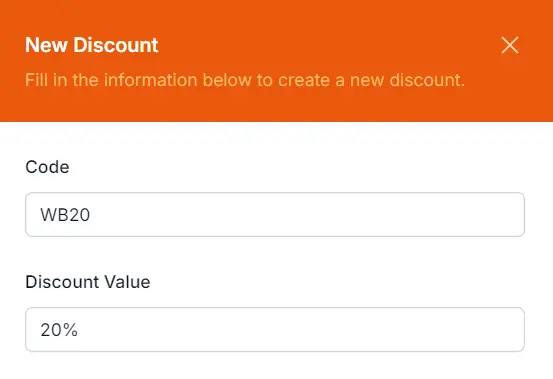
No complex forms or dropdowns. When adding a discount, just type the value naturally.
- Type "20%" for percentage off
- Type "$15" for fixed amount off
Instant Answers in Search
We are bringing the calculator directly into Search. Soon, when you search for a code name, you won't just see the code—you'll see exactly what the customer will pay.
* Currently available in the main Discounts Grid view.
The confidence of a calculator.
The speed of a shortcut.
Support Toolbox removes the mental friction from pricing questions, so you can focus on the conversation, not the arithmetic.
Zero Math Errors
You're human. You get tired. The app doesn't. Avoid the awkwardness of accidentally quoting a 15% discount as 20% or miscalculating a dollar amount during a busy chat.
Instant Answers
Reply to "How much is it?" before the customer even finishes typing. No tab switching, no context shifting. Just search, view the price, and reply.
Centralized Pricing
Legacy codes, seasonal promos, and partner deals often get lost in Slack threads. Keep every active code and its pricing logic in one searchable library.
Store it once.
Look it up forever.
Four simple steps to turn your scattered discount list into a reliable pricing library.
Create the Code
Add your discount code to the library. Give it a clear name so it's easy to find later.
Log Final Prices
Calculate the discounted price one time and save it. Now the app remembers the math so you don't have to.
Search Instantly
When a customer asks, just type "Student". You'll see the exact $6 and $50 prices immediately.
Copy & Reply
One click to copy the discount code to your clipboard. Paste it into the chat and close the ticket.
Common Questions
Everything you need to know about managing discounts locally.
Can I use both percentage and fixed-amount discounts?
Yes. When adding a discount, you can define it as a percentage (e.g., "20% off") or a fixed dollar amount (e.g., "$10 off").
Does this connect to Stripe or Shopify?
No. Support Toolbox is a privacy-first, local-first application. We do not ask for API keys or access your billing data. You input your active codes once, and they live securely on your own machine.
Can I copy just the price or just the code?
Both. The interface lets you copy the discount code (e.g., "SUMMER20") to send to the customer, or the final calculated price (e.g., "$79.20") to answer a pricing question.
Does it work offline?
Absolutely. Since the database is stored locally on your computer, you can search codes and view prices instantly even without an internet connection.
Never quote the wrong price again.
Replace mental math with instant, accurate answers.
Your future self (and your customers) will thank you.