Custom Lists & Mini-CRM
Affiliates, and more.
Stop using messy spreadsheets. Create custom lists with your own columns and fields for whatever project you're tracking right now.
Your help desk manages tickets.
Who manages your relationships?
You need to track specific groups of people—like beta testers or affiliates—but your help desk wasn't built for that, and spreadsheets are just another disconnected tab.
Tickets ≠ Contacts
Help desks are designed to close tickets, not maintain long-term lists of people. Trying to tag users in Zendesk or Intercom for a "Beta Program" is clunky at best.
Spreadsheet Fatigue
"Wait, which Google Sheet has the updated affiliate list?" You end up with ten different tabs, outdated data, and no easy way to copy info into your emails.
Rigid CRM Fields
Real CRMs are expensive and complex. If you just want to track "T-Shirt Size" or "Discord Handle," you shouldn't need an admin to add a custom field for you.
A Mini-CRM for your workspace.
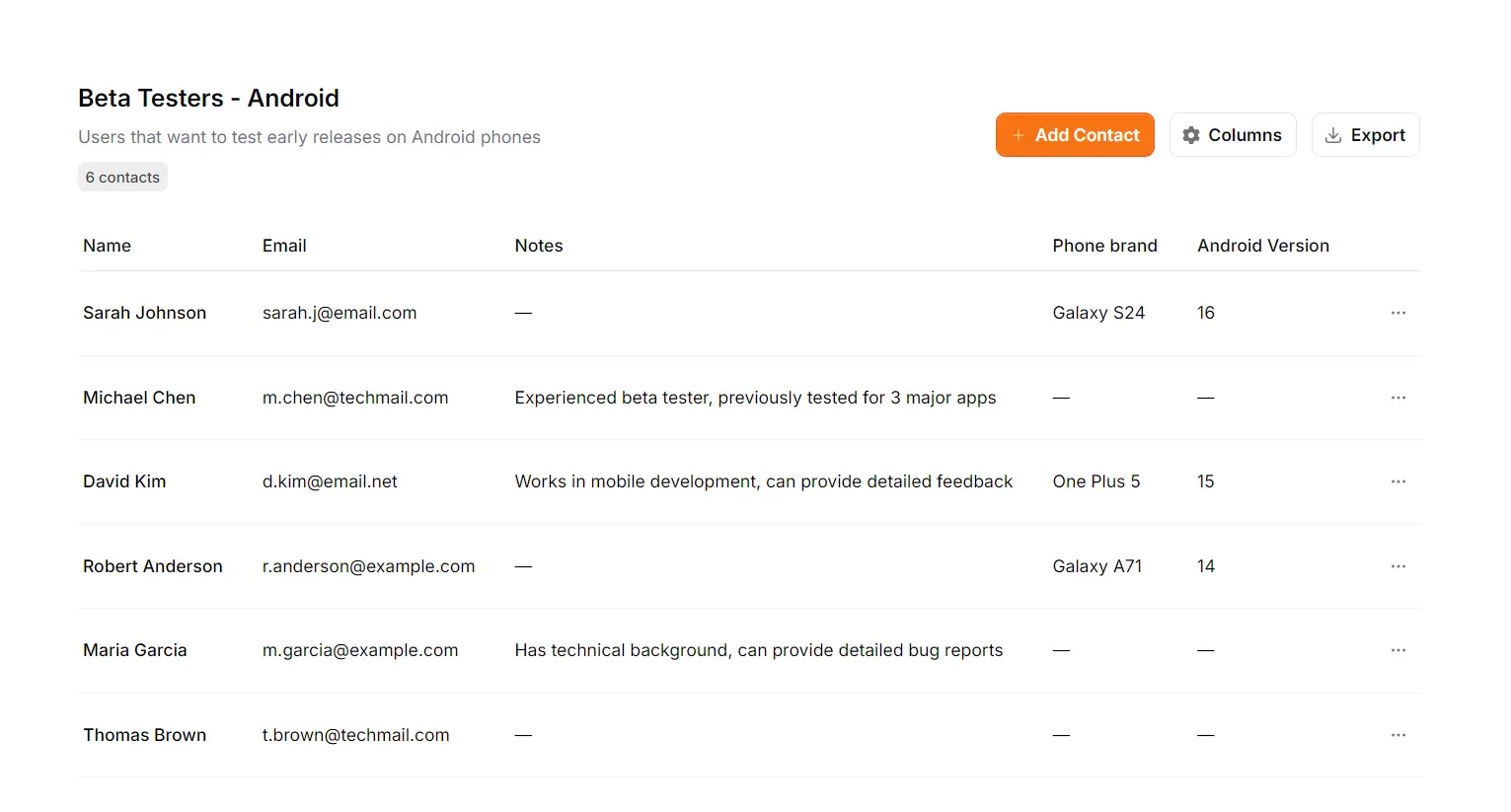
Support Toolbox Lists lets you spin up a database in seconds. Define your own columns, track exactly what matters, and keep your micro-communities organized right where you work.
Build the database you need
in seconds.
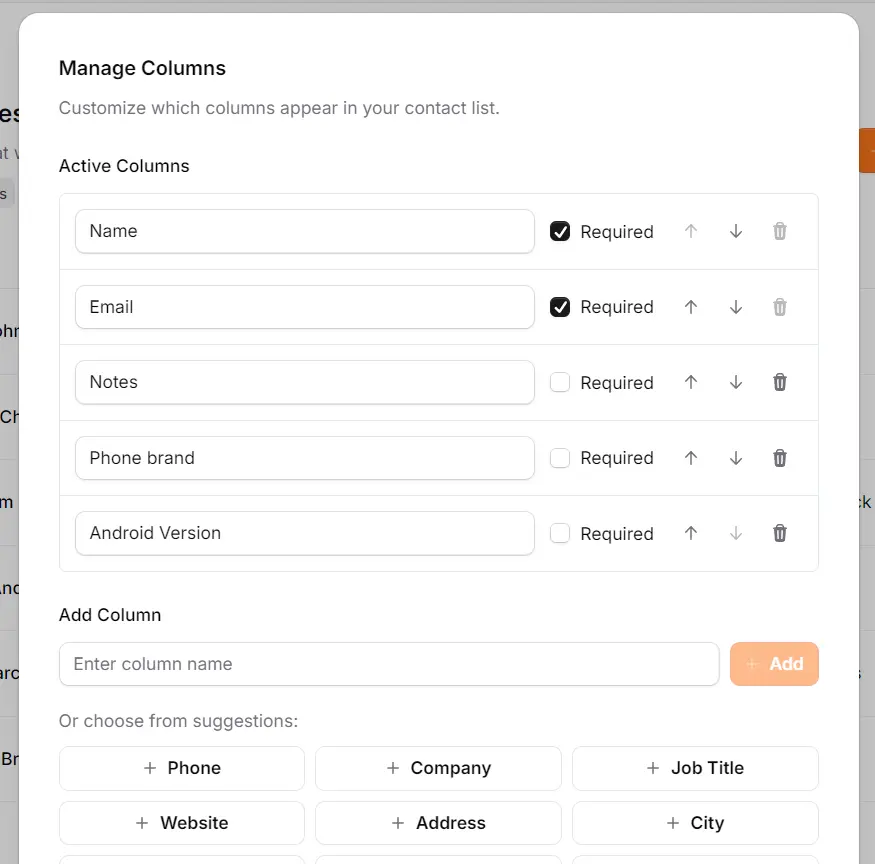
Most address books force you into their structure: Name, Email, Phone. But support projects are rarely that simple. Support Toolbox lets you define the structure that fits your project.
Define Your Own Data
Need to track "Android Version"? "PayPal Email"? "T-Shirt Size"? Just type the column name and add it. No admin permissions required.
Reorder columns
Prioritize what matters. Move the "Status" column to the front for your Beta list, or move "Commission Rate" to the top for Affiliates.
A CRM that doesn't
fight you.
Traditional tools force you to be perfect. Support Toolbox just lets you get the job done.
Zero Friction Data
Need to paste a partial phone number? A messy URL? A note that says "Ask Bob"? Go ahead. We don't have strict validation rules that block you from saving your work.
Local & Private
Personal contact lists, VIP details, and beta user emails are sensitive. Support Toolbox stores everything locally on your machine. Your data never touches our cloud.
Export Ready
Data isn't locked in. When you're ready to move your list to Mailchimp, ConvertKit, or a spreadsheet, one click gets you a clean, formatted CSV file.
One tool,
endless possibilities.
Because you define the columns, you can build a tracker for almost any project in minutes.
Beta Programs
Keep track of which users are testing which version of your app. Know exactly who to email when the Android bug is fixed.
Example Columns
Affiliate Management
Track your partners, their unique discount codes, and their commission rates without getting lost in a spreadsheet.
Example Columns
Influencer Outreach
Organizing a marketing push? Track social handles, shipping status for swag, and content links in one tidy list.
Example Columns
Common Questions
Details about capacity, import/export, and data validation.
Is there a limit to how many contacts I can have?
Since data is stored locally, the app is very fast and has been tested with thousands of contacts. However, it works best for curated lists (like "Top 100 Affiliates" or "Beta Testers") rather than massive marketing databases with millions of rows.
Can I import existing contacts from CSV?
Not in this version. Currently, the tool is optimized for building and maintaining specific lists from scratch directly within your workflow. CSV import is a high-priority item on our roadmap.
Does it validate email addresses or phone numbers?
No. We believe in zero friction. If you want to type "john at gmail dot com" in the email field or paste a messy phone number, the app won't stop you with an error message. You have total control over your data format.
Can I export my data?
Absolutely. Your data is never trapped. You can export any list to a clean CSV file with one click, making it easy to move your contacts to Excel, Mailchimp, or any other CRM when you're ready.
Stop wrestling with Google Sheets.
Track beta testers, affiliates, and more without the spreadsheet chaos.
Keep your data organized right where you work.