Support Follow-up Tracker
Don't let "I'll get back to you" turn into a lost ticket. Track bug fixes, feature requests, and client follow-ups in a dedicated system designed for reliability.
Support is full of open loops.
You promise to update a customer when a bug is fixed. But that fix might take two weeks. Where do you store that promise so it doesn't vanish?
The Sticky Note Graveyard
You write "Email John re: API bug" on a Post-it note. Then you stick another one over it. Eventually, it falls off your monitor and the promise is lost.
The Buried Slack Thread
You ask a developer for an update. They don't reply. The thread gets pushed down by 50 new messages, and you forget to follow up.
The Broken Trust
You close the ticket to keep your "Open Ticket" stats down, intending to check back later. But out of sight means out of mind, and the customer never hears back.
A registry for your commitments.
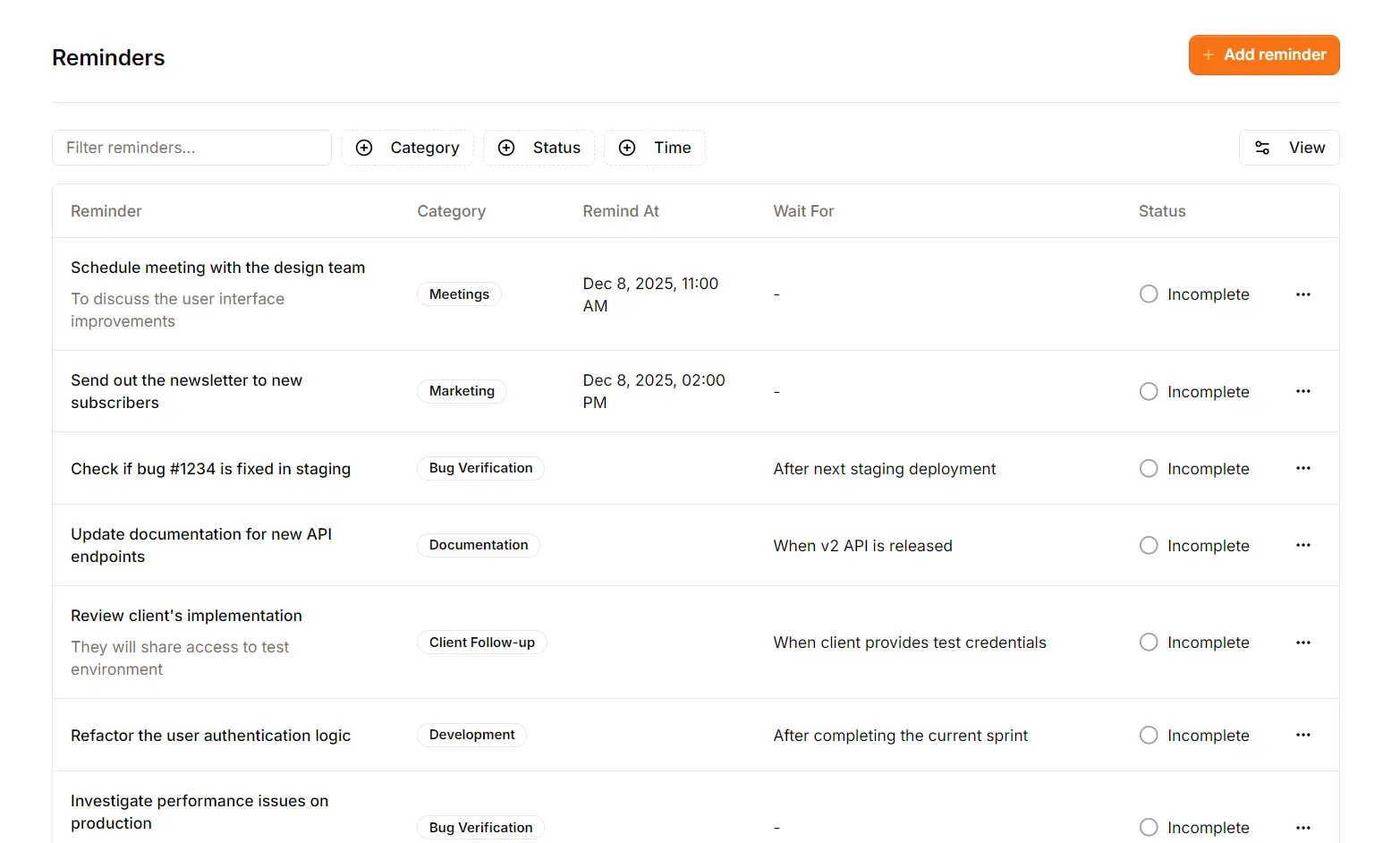
Support Toolbox gives you a dedicated place to park tasks that aren't ready to be done yet. Whether it's "Tomorrow at 9 AM" or "When the bug is fixed," your promises are safe here.
Schedule by time,
or by event.
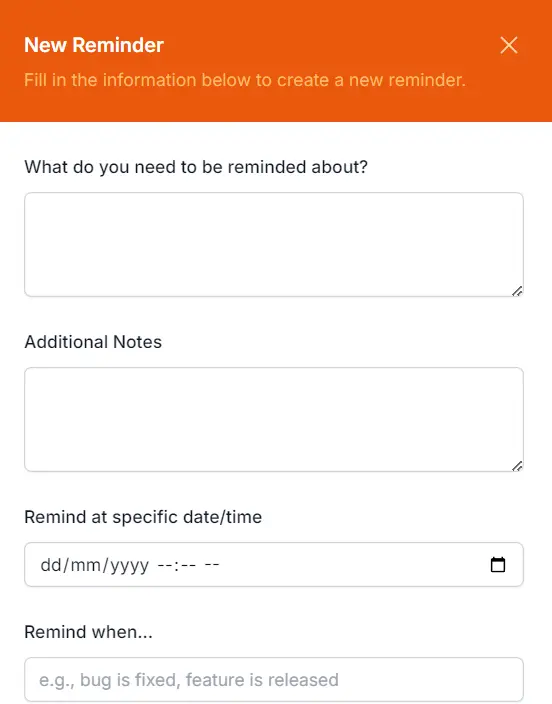
Standard calendars fail for support because you don't always know when something will happen, just that it needs to happen. Support Toolbox handles both.
Time-Based Reminders
The classic "Deadline." Use this for specific commitments like "Call the client on Friday at 5 PM" or "Check status in 3 days."
Event-Based ("Wait For")
The "Open Loop." Use this when the date is unknown, like "Remind me when Bug #1234 is fixed" or "When the Dev team replies." It stays on your radar without a fake deadline.
Notifications that
respect your focus.
Constant browser notifications destroy deep work. Support Toolbox takes a passive approach.
The app never interrupts you with popups. Instead, your Dashboard serves as a "Morning Briefing." Check it when you are ready, clear your past-due items, and get back to flow.
- No OS Popups: Won't cover your chat window or break focus.
- Visual Queues: The dashboard widget glows orange only when action is needed.
Reminders Status
Past Due Items
Reminders Status
All caught up!
Categorize your
commitments.
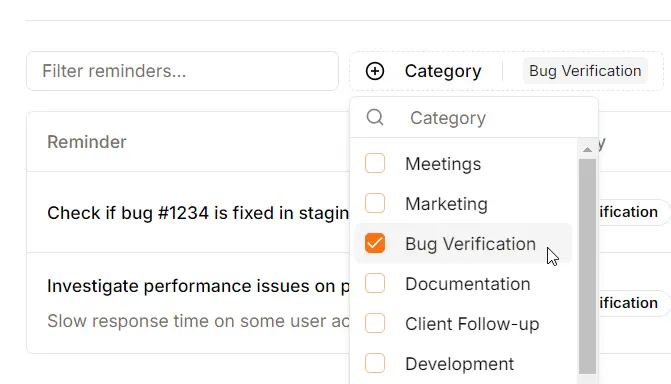
A long list of tasks is overwhelming. Support Toolbox lets you group reminders so you can tackle them in batches, keeping your context switching to a minimum.
By Department
Batch all your "Engineering" follow-ups together so you can chase down developers in one go.
By Client
Tag high-value accounts (e.g., "Enterprise") to ensure their requests never slip through the cracks.
By Urgency
Create an "Urgent" category for fire-fighting, and a "Someday" category for low-priority check-ins.
Common Questions
How the Reminders system fits into your workflow.
Does it send push notifications?
No. We believe support agents already have enough things beeping at them. The system is passive: you check your Dashboard to see what's due. It highlights urgency visually without breaking your concentration with popups.
Can I set recurring reminders?
Not currently. The system is optimized for one-off follow-ups (e.g., "Check on Bug #123") rather than habits (e.g., "Drink water every hour"). Recurring reminders may be added in a future update.
What happens when I mark a task complete?
It doesn't disappear; it gets marked as "Complete" and moves to the bottom of your list (or is hidden if you filter by "Incomplete"). This gives you a satisfying audit trail of everything you've accomplished.
Can I link a reminder to a specific ticket?
Yes. The "Notes" field supports clickable URLs. You can paste a direct link to a Zendesk ticket, a Jira issue, or a Slack thread so you can jump right back into context when the reminder comes due.
Become the most reliable agent on the team.
Stop relying on memory and sticky notes.
Start tracking your promises and never drop a follow-up again.